Planning an EV road trip on the full-battery range figure is a costly mistake: in winter especially, it leaves you short of charge between stations. Work out the range you will really get on this trip, choose one planner to map charging stops, check every stop before you rely on it, and keep a backup station within reach of each one.
This guide is for U.S. drivers taking an electric car on a long, multi-state trip for the first time. It is tool-neutral: it explains what each type of planner does according to its publisher, how fast each charging level adds range according to the Department of Energy, and what federal rules require of federally funded highway chargers. It is compiled from public sources; we did not test cars, chargers or apps, and we have no ties to any charging network or planning tool.
| Input or item | Typical value or source | Why it matters |
|---|---|---|
| Rated range | Your car’s official rating or owner’s manual | A starting point, not a trip figure |
| Cold weather | Range about 41% lower at 20°F with the heater on, in AAA’s 2019 mixed city and highway testing reported by fueleconomy.gov | Winter trips need closer stops |
| DC fast charging | Roughly 100–200+ miles of range per 30 minutes, depending on car and charge level (DOE) | The workhorse for highway legs |
| Level 2 | Roughly 25 miles of range per hour (DOE) | Overnight at a hotel or destination |
| Level 1 | Roughly 5 miles of range per hour, assuming 1.9 kW (DOE) | A last resort on a trip |
| Connector | CCS, J3400 (NACS) or CHAdeMO for DC fast charging (DOE) | Your car, any adapter and the station must be a supported combination |
| Federally funded corridor stations | At least four DC fast ports, 150 kW each, open 24/7 (23 CFR 680) | What to expect at stations built with these funds |
Step 1 — Work out your real range for this trip
Start from your car’s rated range and reduce it for the season, speed and load of this trip. The Five-Step EV Road Trip Plan depends on this number: every later step, from planner settings to the spacing of charging stops, uses it.
| Factor | What the sources say | What to do |
|---|---|---|
| Cold | In AAA’s 2019 testing reported by fueleconomy.gov, EV range at 20°F fell about 41% in mixed city and highway driving with the cabin heater in use, and about 12% compared with 75°F without it. Test results, not a fixed factor for your car | Plan closer stops in winter; precondition the cabin while plugged in; use seat heaters instead of cabin heat |
| Heat | Air conditioning reduces efficiency on hybrids and EVs as well as gas cars (fueleconomy.gov) | Pre-cool while plugged in; set the A/C a little warmer |
| Highway speed | Open windows add aerodynamic drag, an effect that grows at highway speeds; cold, dense air adds drag too (fueleconomy.gov) | Use A/C rather than open windows on the highway |
| Battery level at each stop | Charging time depends on how depleted the battery is and its capacity (DOE) | Plan arrival and departure charge levels, not just distance |
| Your car | fueleconomy.gov notes tips that apply to one model do not always apply to another | Check the owner’s manual for charging and range advice |
Most EVs can travel more than 100 miles on a charge and some more than 200 or 400 miles, according to fueleconomy.gov, so the right spacing for your stops is specific to your car. Decide the lowest charge you are willing to arrive with at any stop and plan to that, not to zero. For the rest of the car, run the Stage 1 car checks about a week ahead.
Common mistake: Entering the summer rated range into a planner for a winter trip. The cold-weather figures above show why the same route can need an extra stop in January.
Takeaway: Write down a realistic range for this trip and a minimum arrival charge before you open any planner.
Step 2 — Choose a planner type
Pick one main planner and use a second tool to cross-check stations. The types below differ in how much they know about your car and how much control they give you; none is best for every driver, and we do not rank them.
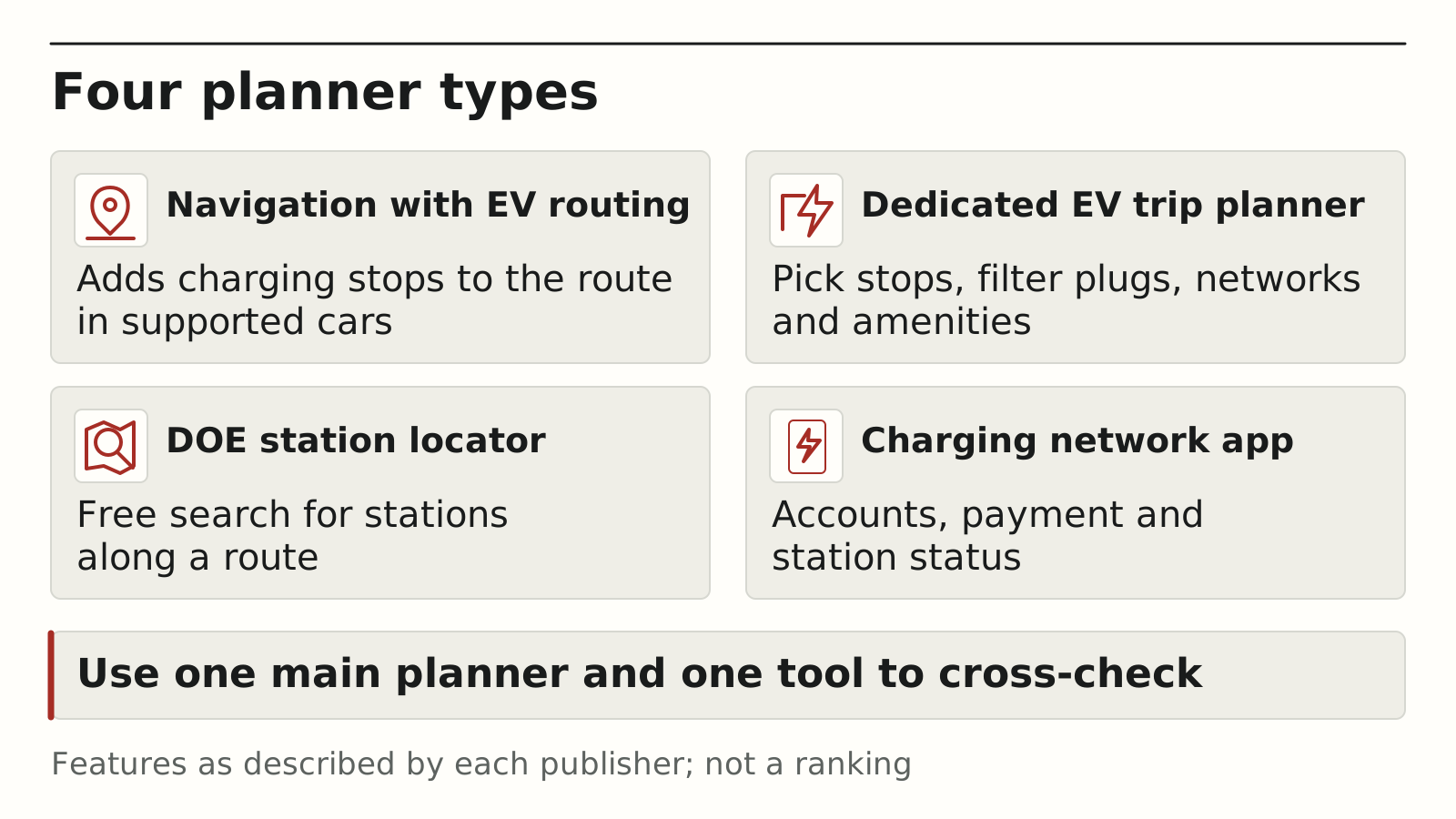
| Planner type | What it does, per its publisher | Best used for | Check before relying on it |
|---|---|---|---|
| Navigation with EV routing (for example, Google Maps built into a car or on Android Auto) | Google says built-in Maps shows battery on arrival, adds charging to the route when you will not reach your destination, and suggests a minimum charging time; on Android Auto it recommends stops once you enter your EV and current charge | Simple, hands-off routing | Google says availability depends on the car manufacturer, region and data plan |
| Dedicated EV trip planners (for example, PlugShare’s trip planner) | PlugShare says its planner shows charging locations along the route, filters by plug, network and amenity, lets you pick your own stops within range, finds hotels with charging and shows an elevation chart | Detailed control over stops and amenities | Whether your car model is supported; how current the station data is |
| DOE Alternative Fueling Station Locator | Searches public charging stations by location or along a route in the U.S. and Canada, with filters; free, with iPhone and Android apps | A neutral check of what exists along the route | Station details change; confirm status on the day |
| Charging network apps | Varies by network; check what each network’s own app offers | Paying at that network’s stations | Set up accounts and payment before you leave |
If your car’s navigation plans charging stops, start there and use the DOE locator to look for backups. If it does not, use a dedicated planner as the main tool. Either way, the planner’s suggestion is a draft that Steps 3 and 4 check.
The Mobility section is where this site covers electric cars, shared mobility and new technology.
Takeaway: Choose one main planner for the route and one independent tool, such as the DOE locator, to check stations.
Step 3 — Map charging stops along the route
Place DC fast chargers on highway legs and save Level 2 for overnight stops. The Department of Energy describes three charging levels, and their speeds are so different that each has its own role on a road trip.
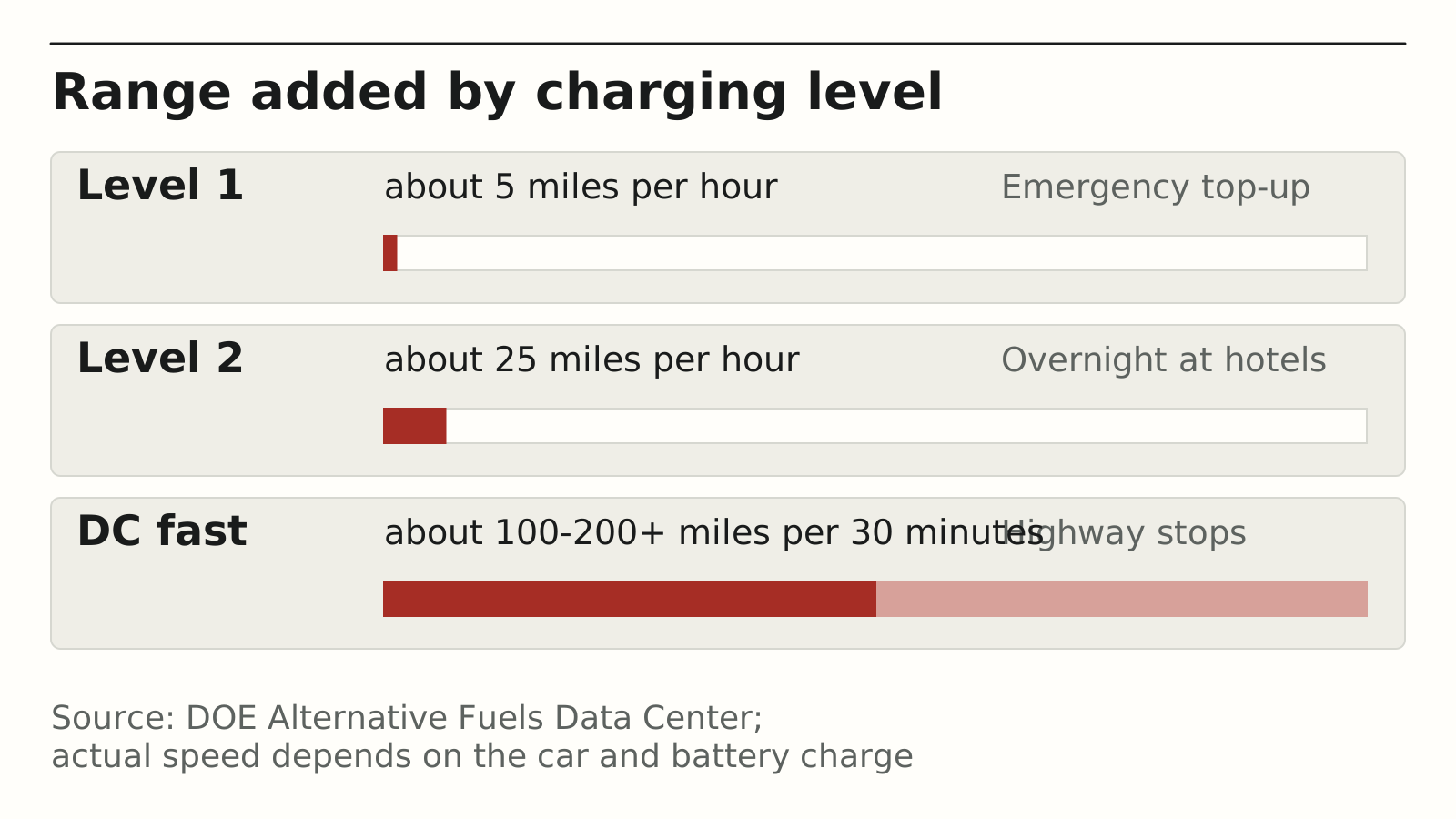
| Charging level | Power | Range added (DOE estimate) | Road trip role |
|---|---|---|---|
| Level 1 | 120 V outlet | About 5 miles per hour of charging, assuming 1.9 kW | Emergency top-up only |
| Level 2 | 208–240 V, 2.9–19.2 kW | About 25 miles per hour | Overnight at hotels and destinations |
| DC fast | Up to 500 kW available on some equipment | About 100–200+ miles per 30 minutes | Highway stops between destinations |
Three details from the DOE change how you map stops:
- Your car sets the speed, not just the charger. Many EVs on the road today cannot charge faster than 200 kW, the DOE notes, so a higher-power station does not always mean a shorter stop. The DOE also notes that charging power varies with the vehicle and the battery’s state of charge, and fueleconomy.gov says a fast charge to 80% can take 30 minutes.
- Connectors differ. DC fast chargers use CCS, CHAdeMO or J3400, the SAE standard based on Tesla’s NACS design. Several automakers announced moves to J3400, and Tesla vehicles come with a J1772 adapter for Level 2 charging; check which plugs your car accepts and which adapters you carry.
- Level 2 lives where cars park for hours. The DOE says public Level 1 and Level 2 stations should typically be located where cars stay parked for long periods, such as shopping centers, airports and hotels.
Map each DC fast stop so it also works as a rest break. AAA recommends a break every two hours or 100 miles on long drives (AAA, 2016), and a 30-minute charge fits that pattern; our long-drive guide shows how to set each day’s drive time around those breaks. Travelling with children? Match stops to the family stop rhythm so one stop covers charging, feeding and stretching.
Takeaway: Put DC fast stops on highway legs at rest-break intervals and book Level 2 charging where you sleep.
Step 4 — Vet each charging stop
Check every planned stop against the same six questions before you accept it. A station on a map is not a guarantee that you can charge there when you arrive.
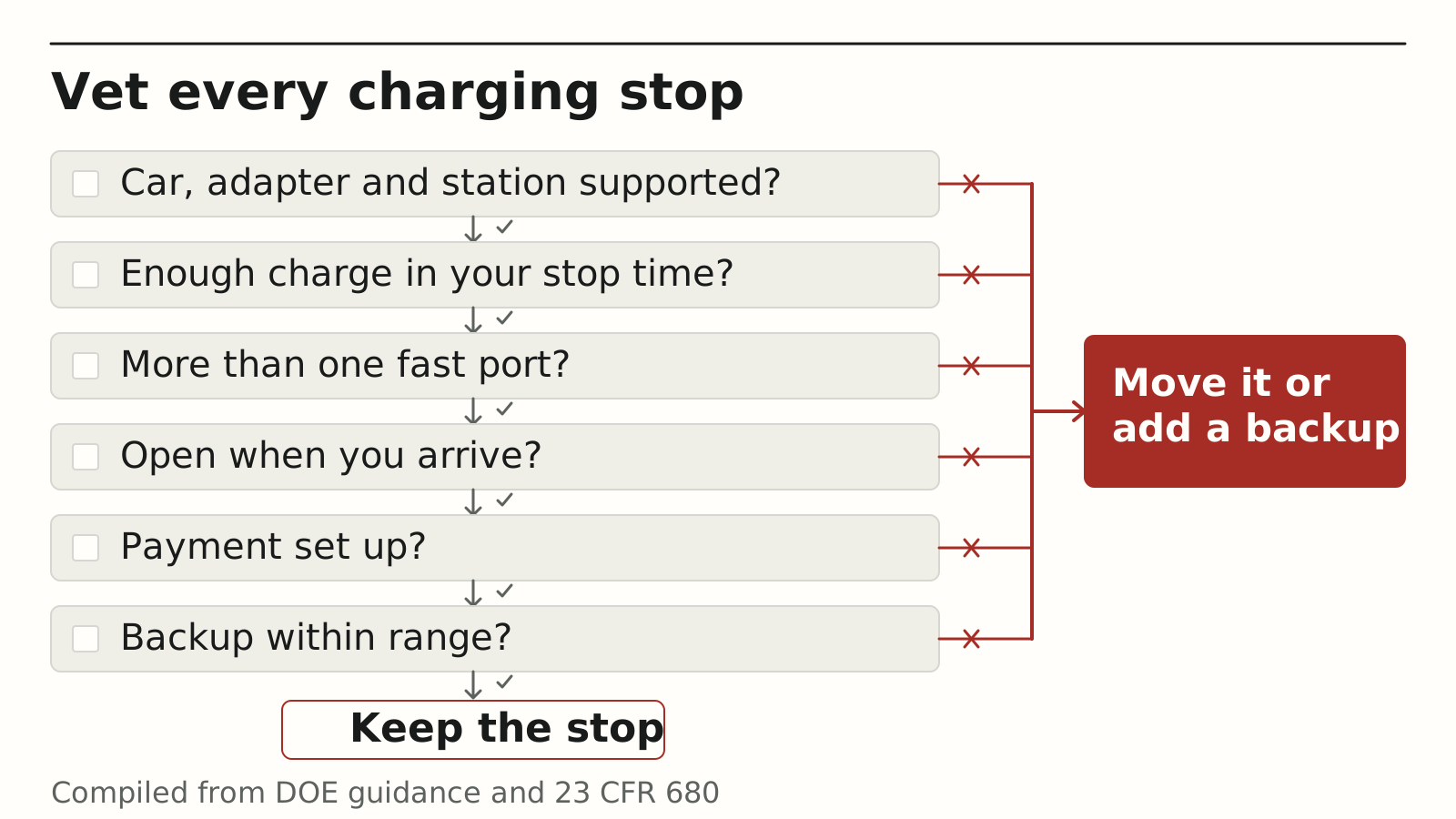
| Check | What to look for | Where to find it |
|---|---|---|
| 1. Connector | A plug your car accepts; if you rely on an adapter, confirm your car maker and the network support that car, adapter and station combination | Station details; your car maker’s and the network’s guidance |
| 2. Power | Enough power to add the charge you need in the time you plan to stop; a slower station means a longer stop, not an automatic no | Station details; your owner’s manual |
| 3. Number of ports | More than one fast port, so one faulty port still leaves other options | Station details |
| 4. Access hours | Open at the time you will arrive; corridor stations built with federal NEVI funds must be open 24/7 | Station details; site host hours |
| 5. Payment | An app account or card method that works there | Network app; station details |
| 6. Backup | A second station within your remaining range | DOE locator “along a route” search |
If a stop fails one of the checks, move it or add a backup (Step 5). A stop that fails the connector or access check should come off the plan entirely. Late in a long day, a failed stop also means extra waiting; if you notice drowsy-driving warning signs while you wait, rest before driving on.
Common mistake: Trusting a single-port station in a remote area as your only option on a long leg. If its only port is faulty, the stop fails; if a car is ahead of you, you wait with whatever charge you have left.
Takeaway: Accept a charging stop only after working through all six checks; drop any that fail the connector or hours check, and treat slower power as a time trade-off.
Step 5 — Build a backup plan
For every charging stop, know where you will go if it is broken, busy or closed. A checked backup gives you a place to go, provided it is reachable, compatible and open when you need it.
- One backup per stop. Use the DOE locator’s route search to find a second station that you can reach with the charge you expect to have when you arrive at the first.
- Keep your arrival buffer. The minimum arrival charge from Step 1 is what gets you from a failed station to its backup; do not spend it to save a stop.
- Charge overnight when you can. Where your hotel has Level 2 charging, an overnight session can reduce the next day’s reliance on fast chargers; confirm access hours and the charge you can expect, and follow your owner’s manual on charge levels.
- Report problems. The DOE locator has a “Report a change” option on station pages, and Google Maps accepts feedback about missing or incorrect charging station information.
- Carry the right cable and adapters for the plugs you might meet along the route.
Put the plan on paper, one row per leg. Take the charge estimates from your car’s energy display or your planner, check them against Step 1, and if a backup is out of reach, charge earlier or change the route:
| Leg | Departure charge | Main stop | Expected arrival charge | Backup station | Charge needed to reach backup | Checked |
|---|---|---|---|---|---|---|
| 1 | ||||||
| 2 | ||||||
| 3 |
Takeaway: Write the backup station next to each planned stop before you leave, and never plan to arrive below your buffer.
EV pre-trip checklist
Run these checks in the week before you leave, alongside the general car checks in our road trip checklist.
- Tires: pressure, tread and damage checked. NHTSA notes EVs are often heavier than gas cars and use EV-specific tires.
- Fluids: NHTSA advises checking the fluid levels that apply to your EV; your owner’s manual lists them.
- Battery and charging system checked by a mechanic (NHTSA).
- Planner set up with your car model, a realistic range and your minimum arrival charge.
- Every charging stop vetted (Step 4) and a backup listed (Step 5).
- Charging network apps installed, accounts created and payment added.
- Charging cable and any adapters packed.
- Cabin preconditioning set for departure while still plugged in (fueleconomy.gov).
- In freezing weather, car plugged in overnight to keep the battery warmer (NHTSA).
The gas, hybrid or EV comparison in our road trip checklist shows which general checks change for an electric car, and Stage 3 of that checklist covers road conditions and rest stops for every powertrain.
Takeaway: Finish the EV-specific checks and app setup a few days before departure, not at the first charger.
What federal rules require of funded highway chargers
Charging stations built with federal NEVI program funds, or other federal highway funds for public chargers, have to meet minimum standards set in 23 CFR Part 680. Stations along designated Alternative Fuel Corridors face the strictest requirements.
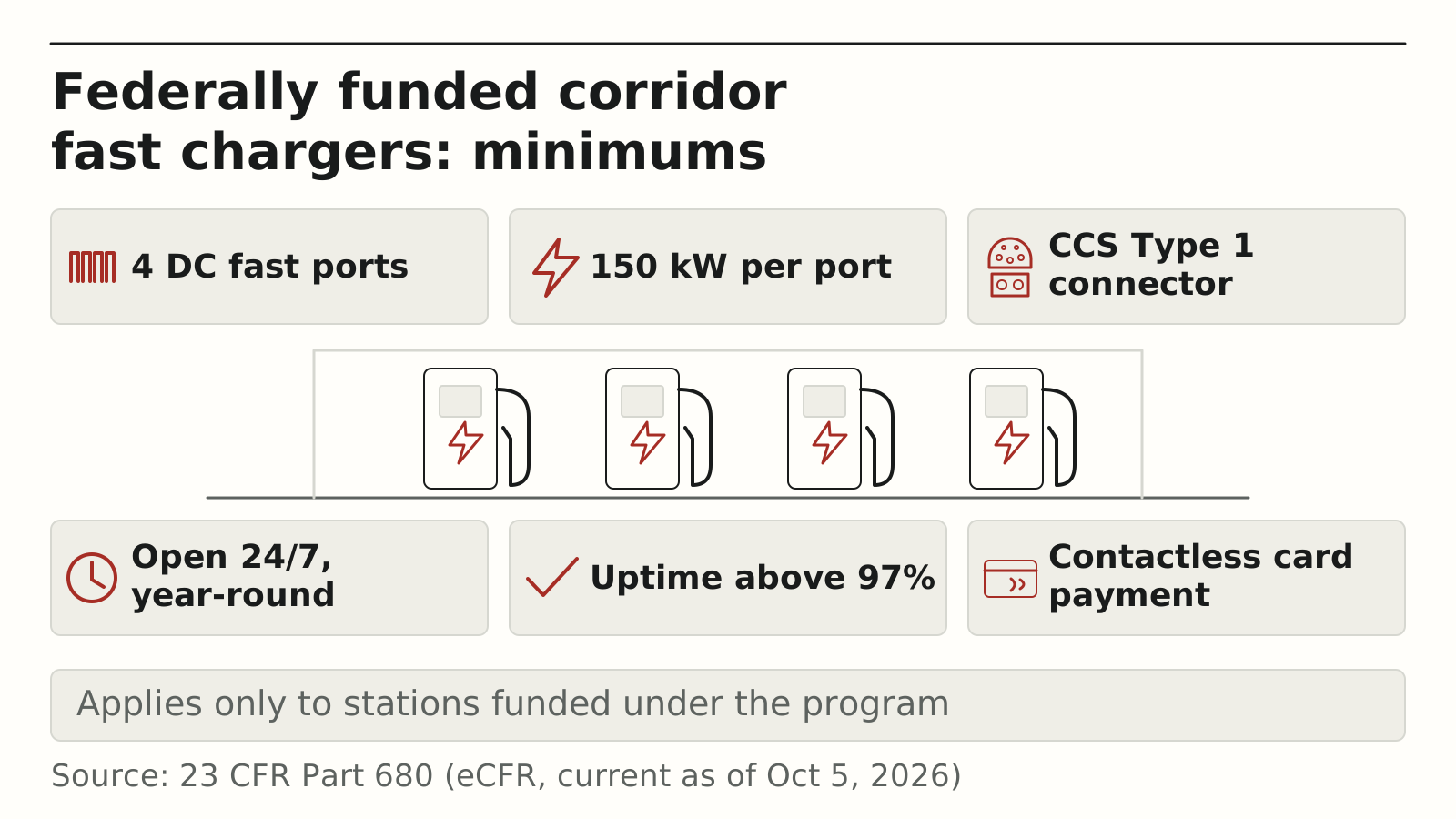
| Requirement (23 CFR 680) | Minimum for funded corridor fast-charging stations |
|---|---|
| Number of ports | At least four network-connected DC fast ports, able to charge four EVs at once |
| Power | A continuous power rating of at least 150 kW per port, and each port able to supply up to 150 kW at the request of the car while the others are in use (§680.106(d)) |
| Connector | At least one permanently attached CCS Type 1 connector on each DC port |
| Hours | Open and accessible to the public 24 hours a day, 7 days a week, year-round |
| Reliability | Average annual uptime above 97% for each port |
| Payment | Unless charging is free, a contactless card payment option plus a phone or text option to start and pay |
These rules apply only to stations funded under the program, not to every charger you see on a map. Use them as a clue rather than a promise: a station that meets them is a strong candidate for a highway stop, but it still goes through the Step 4 checks.
Takeaway: Treat federally funded corridor stations as strong candidates, and still vet them like any other stop.
When this guide does not apply
This guide is written for passenger EVs on U.S. road trips. Adjust it in these cases:
- Towing or heavy loads. Range falls with weight and drag; your car maker’s towing guidance comes first, and the general road trip checklist limits apply to trailers too.
- Plug-in hybrids. You can fall back on gasoline; plan charging for efficiency, not necessity, and keep fuel in the tank.
- Remote areas with few stations. Backup options can be far apart; plan larger buffers and check station status on the day.
- Driving in Canada or beyond. The DOE locator covers the U.S. and Canada; networks, payment and rules differ in other countries.
- Charging speeds and connector plans change as automakers move to new standards; check your car maker’s current guidance.
Takeaway: If one of these applies, add margin to every leg and confirm details with your car maker before you leave.
Related reading
Choose the next guide by what is still open: the rest of the car, the length of each driving day, or children aboard.
- Road trip checklist — Check the car, pack the emergency kit and plan stops in three stages.
- Long drive tips and daily driving limits — Decide how long each driving day should be and spot fatigue warning signs.
- Family road trip checklist — Line up charging stops with family breaks and car seat checks.
- More road trip guides — Every road trip article on the site.
Methods and sources
This guide was compiled on October 7, 2026 from the Department of Energy’s Alternative Fuels Data Center, fueleconomy.gov, the Electronic Code of Federal Regulations (23 CFR Part 680, current as of October 5, 2026), NHTSA’s summer and winter driving guidance, AAA’s 2016 rest-break recommendation, Google’s Maps help page and March 30, 2026 announcement, and PlugShare’s trip planner page. Tool features are described as their publishers state them; PlugShare’s page carries a 2020 copyright, so check the current version. Cold-weather figures come from AAA’s 2019 testing as reported by fueleconomy.gov. We did not test any vehicle, charger or app, and we have no commercial relationship with any company named here.